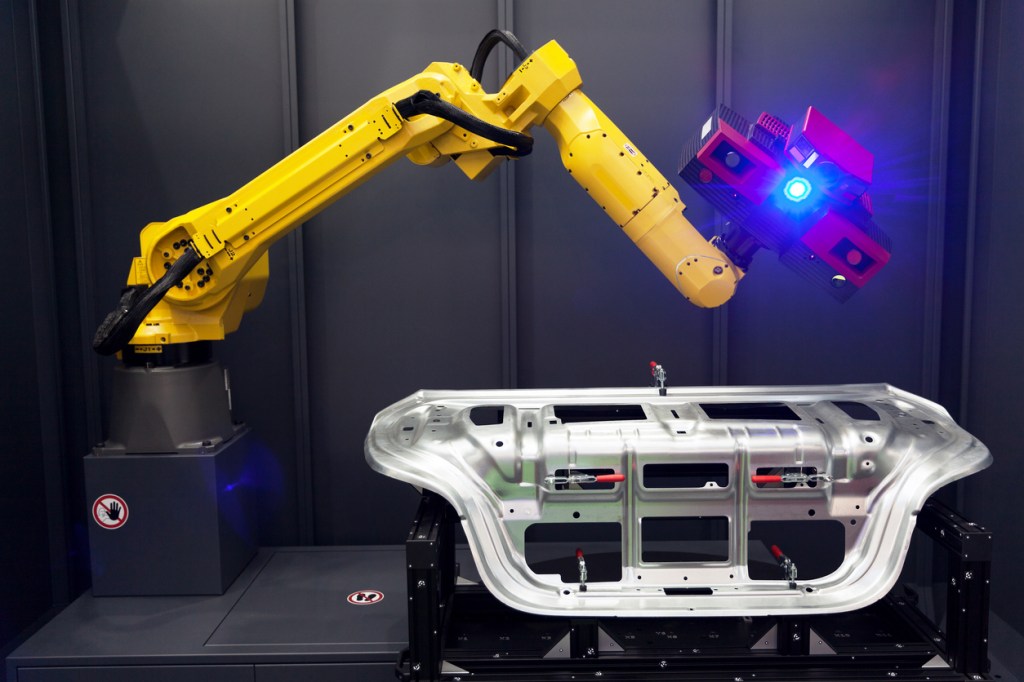
In this Episode, I have tried to shortlist The Top ten available Machine Vision Software Packages in Industrial Automation In the Market: The Top 10 are:
1- Cognex Vision Pro
Cognex VisionPro is the leading PC-based vision software. It is designed to setup and deploy vision applications—no matter the camera or frame grabber. With VisionPro, users can perform a wide range of functions, from geometric object location and inspection to identification, measurement, and alignment, as well as specialized functions specific to semiconductor and electronics applications.
Pros:
Free Trial Version
Works with Third parties Hardware as well as Cognex Hardware
Rich in Learning Material and Tutorial and excellent technical support
Easy To program and user friendly
Deep learning ability
Cons:
Costly
2- Mvtec Halcon
MVTec HALCON is the comprehensive standard software for machine vision with an integrated development environment (HDevelop) that is used worldwide. It enables cost savings and improved time to market. HALCON’s flexible architecture facilitates rapid development of any kind of machine vision application.
MVTec HALCON provides outstanding performance and a comprehensive support of multi-core platforms, special instruction sets like AVX2 and NEON, as well as GPU acceleration. It serves all industries, with a library used in hundreds of thousands of installations in all areas of imaging like blob analysis, morphology, matching, measuring, and identification. The software provides the latest state-of-the-art machine vision technologies, such as comprehensive 3D vision and deep learning algorithms.
Pros:
45 days Free Trial
Works on Variety of Platforms
Excellent Learning material incl Videos and Tutorial and Technical Support
Free Deep learning code for classification and training
Porting The software on available platforms such as: Windows CE, Embedded Linux, VxWorks, Android, or DSP/BIOS and processor architectures like TMS320C64x, TMS320DM64x, MIPS, DaVinci, PowerPC, OMAP3, OMAP4, Arm, Atom, and i.MX
Very Strong supporting Team with tips and Tricks
Works on Variety of Platforms
Cons:
Costly but acceptable
Needs high level of programming
3- Vision Builder AI from National Instrument
As a leader in machine vision and image processing for over a decade, National Instruments offers vision software in two packages: the NI Vision Development Module and NI Vision Builder for Automated Inspection (AI). You can use the Vision Development Module with NI LabVIEW, C, C++, or C# to gain hundreds of functions for programming powerful vision inspection, alignment, identification, and measurement applications. With the interactive software environment in Vision Builder AI, you can configure, benchmark, and deploy machine vision applications without programming. Both software packages work with all NI vision frame grabbers, Industrial Controllers, and Smart Cameras.
Pros:
Free Trial
Acceptable and Clear Cost of Starting from $ 1,250.00/year
Deel Learning Solution
Extensive Material for learning and Developoing
24/7 access to selected online training and virtual demonstrations
Technical support from degreed engineers
Applicable to a wide Selection of Hardware and third parties and communication with GigE Vision, IEEE 1394, and USB3 Vision cameras
Cons:
Limited to The labview Power Engine which costs
4- Omron Machine Vision Software
AutoVISION is the easiest software available for basic to mid-range vision applications. Its intuitive interface guides the user to connect to a device, configure the hardware, program the job and monitor results. Jobs are fully scalable across cameras, software, industrial systems, PCs and mobile devices.
Pros:
Free demo version.
AI Fine Matching and Scratch Detection Filter (because scratches can be indistinguishable from noises) –
Very Good learning material and videos
Easy connectability over TCP with Robots
Cons:
Paid software
Only works with Omron products
5- Zebra Aurora vision (Purchased Adoptive Vision Studio and Matrox design assistant )
uEnhanced and optimized by machine vision experts for nearly 15 years, Zebra Aurora Vision software is renowned for its ease of use – and the power it brings to all varieties of vision applications. Whatever customers want to capture, Aurora Vision software makes it easy. Our comprehensive portfolio of Aurora Vision software products can be used by enterprises in a wide range of verticals to develop both simple and advanced vision applications quickly and easily. They can help your customers define and monitor the physical characteristics of any product or packaging – to assess whether an individual item or pack of products meets pre-determined quality standards. Adding vision capabilities to any workflow application gives your customers far more information about the physical state of a product than a simple barcode can provide. The adoption and easy integration of machine vision capabilities into real-world industrial imaging applications helps enterprises save time, cost, and resources while protecting end customers as well as their own brand value.
Pros:
AI based algorithm -With use cases across multiple industry verticals, this software enables solutions for complex machine vision problems that were previously impossible to achieve with traditional algorithms and approaches. Now, for example, machines and manual operators are able to use it to find complex and irregular surface defects or accurately read blurred, poorly lit, or damaged characters printed on glossy surfaces of product packaging.
Typical applications require between 20 and 50 images for training. The more the better, but our software internally learns key characteristics from limited training set and then generates thousands of new artificial samples for effective training.
Works with GPU and CPU controllers – Does not depend on brand – Aurora™ Deep Learning can work on a standard industrial PC. But for better performance, we recommend using modern GPU boards from the NVIDIA® GeForce® and Tesla series with compute capability 3.5 or higher.
A modern GPU is required for effective training. At production, you can use either GPU or CPU. GPU will typically be 3-10 times faster (with the exception of Object Classification which is equally fast on CPU).
Typical training time on a GPU is 5-15 minutes. Inference time varies depending on the tool and hardware between 5 and 100 ms per image.
Typical applications: • Surface inspection (cracks, scratches) • Food, plant, wood inspection • Plastics injection molding • Textile inspection • Medical imaging
Deformable objects • Variable orientation • Customer provides vague specifications with examples of good and bad parts • Reliability: 99%
Trial version is available
Learning material based on Adoptive vision studio
Cons:
Expensive
NO material is available directly for Zebra Aurora. The Learning Material belongs to the Adoptive Vision Studio or Matrox Design assistant
User gets Confused which software is practical
6- Open Evision from euresys
Open eVision Studio is the evaluation, prototyping and development tool of Open eVision. Its intuitive graphical user interface allows you to call and immediately see the result of any of eVision’s 2D image processing functions. A scripting functionality generates the corresponding code, which can then be copied and pasted into your application.
Pros:
Hardware-independent image processing and analysis libraries for machine vision inspection applications
Compatible with any image source, including frame grabbers, GigE Vision and USB3 Vision cameras
Support the latest technologies such as Deep Learning and 3D
Accurate sub-pixel measurement and calibration
64-bit and 32-bit libraries for C++ and .NET (C#, VB.NET, C++/CLI) under Windows
64-bit libraries for Linux (x86-64 or ARMv8-A)
Easy to learn and use
Robust, flexible and powerful
Open eVision is a suite of reliable, powerful and flexible software tools dedicated to image processing and analysis. Open eVision contains a set of 64-bit and 32-bit libraries for C++ and .NET (C#, VB.NET, C++/CLI) under Windows and 64-bit libraries for Linux (x86-64).
The general-purpose libraries cover applications such as image filtering and enhancement.
The matching and measurement tools contain blob analysis, pattern matching, alignment and sub-pixel measurement functions.
The text and code reading libraries include functions for optical character recognition and 1D / 2D barcode reading and grading.
The 3D libraries include laser line extraction and calibration functions, point cloud processing and management functions, and 3D object extraction, alignment and inspection functions.
The Deep Learning libraries are Convolutional Neural Network-based inspection libraries for image classification and segmentation.
Cons:
Available Only on Windows or Linux
Not enough Learning Material
7- Pylon 7 from Basler
Use pylon vTools to quickly and easily create high-performance image processing functions for your applications. Design and test intelligent structure recognition, micrometer-precise object positioning, or robust code recognition and integrate everything into your own application – together with camera control and image acquisition, precisely tailored to Basler’s camera portfolio. Available for Windows and Linux.
Create image processing functions quickly and easily in the pylon Viewer’s Workbench. Here you can select, insert, and configure individual processing steps as vTools. By connecting single vTools together, you can create and test complete image processing workflows. Save image processing workflows created in the Workbench as recipe files, to use them in your own applications.
Individual processing steps of pylon vTools as well as the entire image processing workflow of a recipe file can be tested and precisely adjusted within the Workbench on the live image. This allows you to quickly and easily achieve optimal performance and accuracy for real-world situations.
To integrate image processing functions into your own applications, the popular pylon APIs offer a variety of simple functions for loading and executing recipe files, and for evaluating the results in your program code. Adjust the settings of your application via recipe file using the pylon Viewer – without having to change or recompile the application code.
Pros:
Free Trial and free software to develop- costly for functionality
Works with Third parties Hardware as well as Basler Cameras and frame grabbers
Interface with Ros
It is available in versions for Windows, Linux, Linux ARM, MacOS, and Android.
Basler´s pylon Camera Software Suite interface for Python
Cons:
No deep learning library code which is a pitty! why?
8- SciVision SDK from OPT machine vision
uSciVision SDK is a platform of machine vision libraries and tool sets. Use it to customize your new applications.
Pros:
◆Reliable: The stability of SDK is proven by ten-thousands of industrial equipment.
◆Easy-to-operate: User-friendly interfaces; Only few flowchart steps are needed to build an application.
◆Comprehensive: 2D vision algorithm, 3D vision algorithm, deep learning vision algorithm.
◆Support multiple programming languages: C++, C#, VB.
◆Optimized performance: GPU/SSE/TBB acceleration supported.
Cons:
Lack of enough Tutorial and examples
NO practical example of deep learning
Only works with OPT Cameras?
9- ADLINK Edge™ Machine Vision AI Software
ADLINK Edge™ machine vision software delivers AI at the Edge for industry, enabling systems integrators to easily build and configure scalable solutions based on Intel® or NVIDIA® hardware. This releases the potential of vision-based operational data to empower intelligent decision-making and to automate action informed by AI to improve efficiency, quality, productivity or safety.
ADLINK Edge™ connects new and existing equipment, captures multiple image data streams and applies high performance processing power for machine learning and inferencing at the edge by integrating the latest AI partner developer technology including Intel® Distribution of OpenVINO™ toolkit deep learning inference engine, NVIDIA® DeepStream with TensorFlow and TensorRT.
With this combined capability ADLINK Edge™ software enables the industrial AI development environment and makes deployment and integration faster, easier and more cost effective so customers can optimize operational efficiency and drive business value from their solutions.
Pros:
Deep learning Library Code
Cons:
No Trial Version Available
Its not Free- I guess?
Works only with Adlink Hardware
No Learning and Tutorial Document
No Educational Video
10- Sapera Software Suit from Teledyne Dalsa
Sapera Vision Software is a set of industrial strength libraries supporting Teledyne DALSA cameras and frame grabbers as well as hundreds of 3rd party camera models across all common interface formats like GigE Vision, USB Vision, Camera Link HS and CoaxPress, and emerging new image acquisition standards. Sapera Vision Software offers a suite of library functions and tools for acquisition and control, image processing and analysis as well as artificial intelligence. Sapera Vision Software allows royalty free run-time licenses for select image processing functions when combined with Teledyne DALSA hardware products. Our control libraries are available for Windows and Linux operating systems.
Teledyne DALSA offers imaging specific utilities and applications to help you set up and configure our products. Our ShadoCam application is provided with all industrial X-ray detectors to provide basic imaging functionality such as image acquisition and display, offset and flat-field corrections, image statistics, printing and file I/O. With support for industry leading open source platforms, Teledyne DALSA’s Embedded Processing Solutions give you advanced performance in a low cost, small form factor. Our frameworks and SDKs provide embedded support for 1D & 2D Machine Vision, Medical, and Infrared imaging applications.
Pros:
Works with Any 3rd party camera
Free lisance if used with Sapera Hardware
iNspect is a vision application software specifically designed to simplify the design and deployment of automated inspection on the factory floor. iNspect offers new and experienced users alike a practical tool delivering uncompromising functionality that can be readily applied to a wide range of manufacturing tasks.
iNspect’s simple, straightforward setup allows users to quickly configure and deploy an application. Each of the inspection tools have been carefully designed to extract the relevant information from the object image. No programming or extensive training is required!
Enough Learning Tutorial and documentation
Cons:
Lack of machine Learning Development

Donation
Please support me to write intresting articles about machinery and automation. Thanks 🙂
€5.00


 DyM Podcast
Leave a comment